

Becoming a registered NDIS provider is a crucial milestone, but what comes next? Once registration is complete, the real work begins: applying the NDIS Pricing Arrangements and Price Limits (PAPL) effectively across your organisation. Known commonly as the NDIS Price Guide, this document governs how you price services, submit claims, and remain compliant under Australia’s National Disability Insurance Scheme.
At Angels Compliance and Training Services, we support providers like you to implement pricing rules confidently, avoid compliance risks, and build efficient, audit‑ready practices.
What Is the NDIS Price Guide (PAPL)?
The NDIS Pricing Arrangements and Price Limits are a formal guideline published by the National Disability Insurance Agency (NDIA). It sets maximum price limits that registered providers can charge for funded supports and services.
Unlike a simple list of prices, this guide outlines:
- What can be charged for specific NDIS-funded supports
- How to claim correctly
- Rules for special categories such as travel, group services, and non‑face‑to‑face billing
- The support catalogue that pairs line-item codes with prices and rules
Understanding and implementing this correctly is essential to maintaining compliance and avoiding financial risk.
Why Implementation Matters for Newly Registered Providers
Just having access to the Price Guide isn’t enough; you must embed it into everyday operations:
- Legally Compliant Billing – Registered providers must not exceed price limits when billing NDIA‑managed or plan‑managed participants.
- Accurate Documentation – Pricing affects service agreements, participant communications, claims, and audit evidence.
- Business Viability – Proper implementation ensures your services are priced sustainably and competitively.
Without correct application, providers face a higher risk of audit findings, rejected claims, and compliance action.
Key Components of the 2025–26 NDIS Price Guide
1. Pricing Limits & Support Categories
The guide classifies supports into:
- Core Supports
- Capacity Building Supports
- Capital Supports
Each category has distinct price limits and rules that can differ by service type, region, and delivery context.
2. Updated Price Arrangements (2025–26)
The 2025–26 pricing guide was released on 16 June 2025 and took effect 1 July 2025.
These updated price limits reflect economic shifts and ongoing pricing reviews. The NDIA may also release mid‑year revisions to ensure ongoing alignment with policy and market conditions.
3. Claiming Rules
Understanding when and how to claim:
- Provider travel
- After‑hours support
- Group support
- Non‑face‑to‑face work
is vital for risk‑free billing. Each has specific rates and conditions.
Step‑by‑Step Implementation Guide
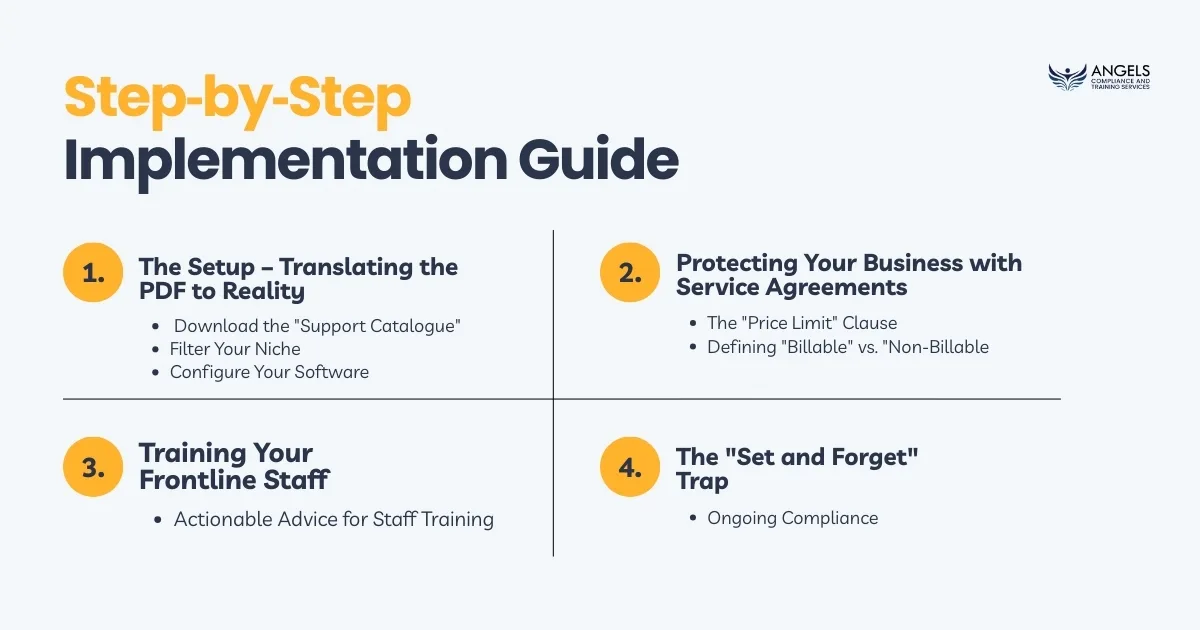
Here’s your practical roadmap to adopt the 2025–26 NDIS Price Guide successfully:
Phase 1: The Setup – Translating the PDF to Reality
The PDF version of the NDIS Price Guide is designed for reading, but it is terrible for data entry. If you are manually typing line items into Xero or your CRM from the PDF, you are prone to human error.
- Download the “Support Catalogue” (CSV) Always work from the CSV file provided by the NDIS, often referred to as the Support Catalogue. This contains the exact Line Item Numbers required for the NDIS portal.
- Filter Your NicheAsa new provider, you likely only approved for specific Registration Groups. The full catalogue contains thousands of codes you will never use.
- Action Step: Create an “Internal Price List.” Filter the CSV to show only the Registration Groups you are approved for.
- Why? This prevents your admin staff from accidentally billing a code for High Intensity Daily Activities if you are only registered for Standard Daily Activities.
- Configure Your SoftwareWhetheryou use a dedicated NDIS CRM (like CareMaster, ShiftCare, or Brevity) or standard accounting software (Xero/MYOB), you must map the codes correctly.
- Pro Tip: Don’t just enter the price; enter the Claim Type rules in the description. For example, if a code allows for “Provider Travel,” note that in the system so your invoicing team knows it is an option.
Phase 2: Protecting Your Business with Service Agreements
Your Service Agreement is the legal tether between the NDIS Price Guide and your revenue. A poorly drafted agreement is the fastest way to lose revenue when prices change.
The “Price Limit” Clause New providers often make the mistake of writing specific dollar amounts into the contract (e.g., “We will charge $65.47 per hour”).
- The Risk: When the NDIS updates the price to $67.00 on July 1st, your contract still says $65.47. You are legally bound to the lower rate until you get the participant to sign a new agreement.
- The Fix: Use dynamic wording. Your clause should state: “Rates will be charged in accordance with the current NDIS Pricing Arrangements and Price Limits as published on the NDIS website.” This allows you to automatically apply indexation updates without re-signing hundreds of contracts.
Defining “Billable” vs. “Non-Billable” Clear disputes before they happen by listing exactly what additional charges the participant is agreeing to.
- Provider Travel: Can you charge for the time it takes to get to them? (Only if agreed in advance).
- Non-Face-to-Face Support: This covers report writing and care coordination. If this isn’t in your agreement, you cannot bill for the hours spent writing mandatory NDIS progress reports.
Phase 3: Training Your Frontline Staff
Compliance isn’t just for the finance team. Your support workers are the ones generating the evidence that justifies the invoice.
If a support worker documents a shift as “Social outing to the park,” but your admin team bills it as “Assistance with Self-Care,” you have a compliance mismatch. In an audit, an auditor will look at the Shift Notes to see if they justify the Line Item claimed.
Actionable Advice for Staff Training:
- Teach staff the difference between Core Supports and Capacity Building.
- Ensure they understand that they cannot promise services (like transport) if it hasn’t been budgeted for.
- The Fair Pricing Rule: Remind all staff of the NDIS Code of Conduct obligation that you cannot charge a higher price to an NDIS participant than a non-NDIS client for the same service.
Phase 4: The “Set and Forget” Trap
The NDIS Price Guide is not a “set and forget” document. It is usually updated annually on July 1st, but ad-hoc changes can happen in October or December (often related to TTP or wage increases).
Your Ongoing Compliance Checklist:
1. Subscribe to the NDIS e-newsletter to get alerts on price changes immediately.
2. Audit your invoices quarterly. Pick 5 random invoices and trace them back to the Price Guide and the Participant Service Agreement. Do the numbers match?
3. Legacy Clients: When prices rise, communicate clearly. Even if your contract allows for automatic increases, sending a respectful email notifying participants of the change builds trust and transparency.
Conclusion: Confidence Comes from Systems
Implementing the NDIS Price Guide isn’t about memorising thousands of codes; it’s about building a system that alerts you when something is wrong. When your software, your service agreements, and your staff training are all aligned with the Price Guide, you can focus less on billing disputes and more on delivering high-quality care.
At Angels Compliance and Training, we understand that the gap between “Registered” and “Operational” can feel huge. But you don’t have to bridge it alone.
Ready to audit-proof your operations?
Are you unsure if your current Service Agreements or billing processes will stand up to scrutiny?
Contact Angels Compliance and Training Today for a Mock Audit or a NDIS Compliance Check. Let us help you build a business that is not just compliant on paper, but confident in practice.
FAQ: Implementing the NDIS Price Guide
Q1: Do I need to re-sign Service Agreements every time the NDIS Price Guide changes?
A: Not if your agreement is drafted correctly. If your Service Agreement includes a dynamic clause stating that “prices will be charged in accordance with the current NDIS Pricing Arrangements and Price Limits,” you generally do not need to re-sign for standard indexation updates. However, you must still notify participants of the change in writing (e.g., via email) before applying the new rates.
Q2: Can I charge a higher rate than the NDIS Price Limit?
A: No. If you are a registered provider, you cannot exceed the price limit listed in the NDIS Pricing Arrangements for that specific line item. However, you can charge less. Charging above the limit is a strict non-compliance issue that can lead to audit failure and revocation of registration.
Q3: What is the difference between the Price Guide PDF and the Support Catalogue?
A: The Price Guide (PDF) is a document explaining the rules and definitions of supports. The Support Catalogue (CSV) is a data file containing the specific Line Item Numbers and claim codes needed for your billing software. You need the PDF to understand what you can claim, and the CSV to know how to input it into your system.
Q4: Can I charge for provider travel even if it’s not explicitly in the line item description?
A: You can only claim for Provider Travel if the specific line item allows for it (checked via the Support Catalogue) AND you have a prior agreement with the participant. You cannot simply add travel costs to an invoice without the participant knowing and agreeing to the potential cost beforehand.
Q5: What happens if I accidentally use the wrong line item code?
A: If you claim a code that isn’t in the participant’s funded plan, the claim will likely be rejected by the NDIS portal or the Plan Manager. If the payment goes through but is later found to be incorrect during an audit, you may be required to pay the money back. Regular internal audits of your shift notes vs. invoices help prevent this.
Q6: Why do I need to filter the NDIS Support Catalogue?
A: The full catalogue contains thousands of codes for every possible NDIS service (including home modifications, therapy, etc.). As a new provider, you are likely only registered for a few specific “Registration Groups.” Filtering the list prevents your staff from accidentally selecting a code you are not authorised to deliver.